AR
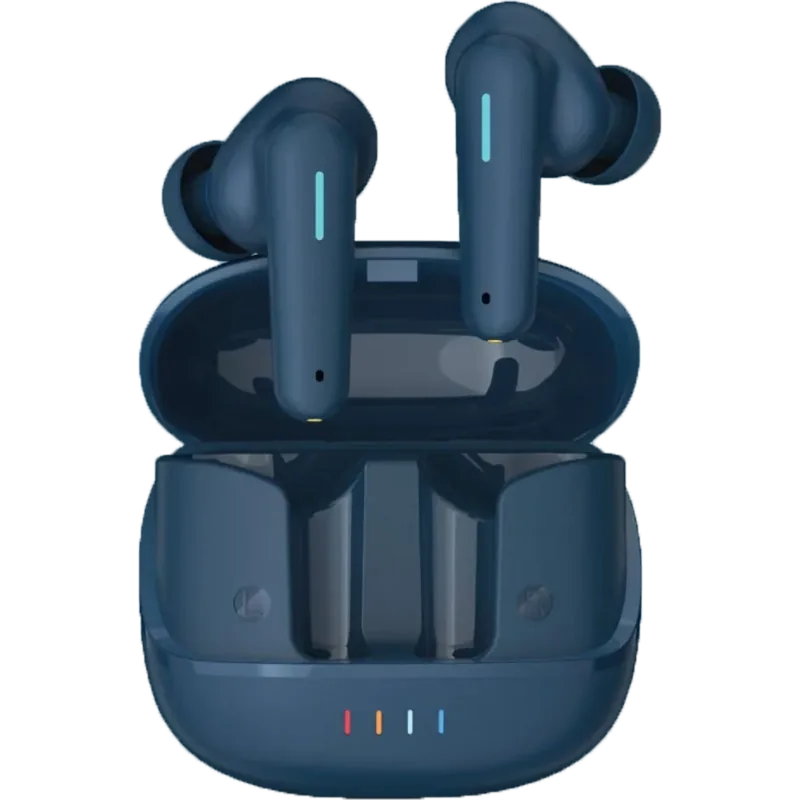
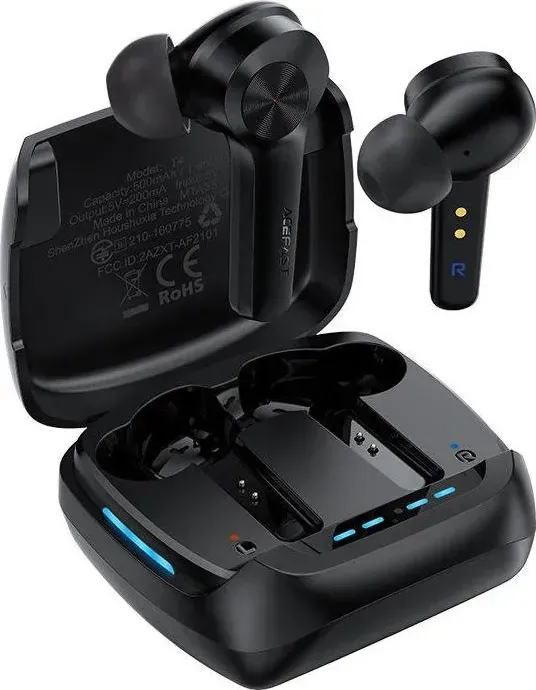
ACEFAST T4
ACEFAST T4
AR
ﺔﻤﻟﺎﻜﻣ ﻰﻠﻋ دﺮﻟا
ﻒﺋﺎظﻮﻟا دﺪﻌﺘﻣ رﺰﻟا قﻮﻓ ﺮﻘﻧا ،ﺔﻤﻟﺎﻜﻤﻟا ءﺎﻨﺛأ :ﺔﻤﻟﺎﻜﻣ ءﺎﮭﻧإ ؛ﻒﺋﺎظﻮﻟا دﺪﻌﺘﻣ رﺰﻟا قﻮﻓ ﺮﻘﻧا ،ﺔﻤﻟﺎﻜﻣ دورو ﺪﻨﻋ :ﺔﻤﻟﺎﻜﻣ ﻰﻠﻋ دﺮﻟا.
ﺔﯿﻧﺎﺛ 1 ةﺪﻤﻟ ﺮﻤﺘﺳا
88888888888
88888888888
88888888888
L R
L R
AR
LR
L
R
ناﺮﺘﻗﻻا ﺔﻤﻟﺎﻜﻤﻟا ﺾﻓر / ةدراﻮﻟا ﺔﻤﻟﺎﻜﻤﻟا ﻰﻘﯿﺳﻮﻤﻟا
L R
再生/一時停止: 多機能キーにクリックする、またはスマホにプライヤーを操作する。音楽を再生する
とき、多機能キーをクリックする、またはスマホにプレイヤーを操作する。
前の曲:音楽を再生するとき、左耳の多機能キーにダブルクリックする。
次の曲:音楽を再生するとき、右耳の多機能キーにダブルクリックする。
モード切替:3秒程度長押しをすれば、音楽モード/ゲームモードの切り替えが実現できる。
音声アシスト:左/右耳に三回クリックすれば、音声アシストを作動させる。
音量+/-:スマホの音量制御
充電と指示ランプの状態
充電ケースの充電状態: 充電ケースのLED青ランプが点滅になる。満杯に充電した後に、青ランプが常時
点灯になる。
充電ケースのバッテリー不足状態: 最後のLEDランプのバッテリーが10%しか残らない場合、青ランプが
点滅になる。このとき、タイムリーに充電する必要がある。
イヤホンのバッテリー不足状態: バッテリーが足りなくなった時、イヤホンのほうは音声の注意が聞
こえる。
语音提醒
初期化セッティング
スイッチオン(初回の使用)
スイッチオン方式一:充電ケースを開ける。イヤホンの青ランプが3回点滅するが、イヤホンが自動的に
スイッチオンになる。
スイッチオン方式二:スイッチオフの状態に、多機能キーを2秒程度長押す。スイッチオンになった
ら、イヤホンがブルートゥースのペアリング状態になる。このとき、赤、青LEDランプが点滅にな
る。
ペアリング
1、スマートフォンのブルートゥースをオンにする。
2、充電ケースを開け、イヤホンを取り出す。
3、ACEFAST T4をサーチし、クリックしてから接続する。ペアリング完成後、提示音が聞こえ
られるが、スマホのほうも「接続済」が表示される。
注意:
1、再び使用するとき、イヤホンをスイッチオン、ペアリングした後に、接続したスマホに自動的
に接続し戻す。
2、スマホに接続できない場合、スマホのブルートゥースメニューから手動的操作を行い、イヤホ
ンに接続するようにしてください。
3、ペアリングするとき、イヤホンの青ランプが3回点滅するが、イヤホンが自動的にスイッチオンに
なる。
ACEFAST T4
ACEFAST T4
着信/受話拒否
電話を応答する/通話を終了する
電話を応答する: 来電のとき、多機能キーにクリックする。
通話を終了する: 通話中、多機能キーにクリックする。
応答拒否
多機能キーを1秒程度長押す(来電の状態に)
1秒間押します
88888888888
88888888888
88888888888
L R
L R
一回クリックする
左イヤホンの多機能ボタン
にダブルクリックする
右イヤホンの多機能ボタン
にダブルクリックする
音楽
注意
x1: 一回クリックする
LR
L
R
x2: ダブルクリック
x2: ダブルクリック
1、もし電話が掛けてきたとき、音楽も同時に再生する場合、イヤホンは着メロを再生する。通話終
了後、音楽を自動的に再生する。
JP JP
JP JP JP
赤、青LEDランプが点滅になる。
赤、青LEDランプが点滅になる。
L R
音声注意
青ランプ常時点灯
25%-50%
The second lamp
0%-25%
The first lamp
50%-75%
The three lamp
75%-100%
The fourth lamp
Odbiór/rozłączenie
Odbieranie połączeń/Zakończ połączenia
Odbieranie połączeń: Podczas połączeń kliknij przycisk wielofunkcyjny;
Zakończ połączenia: Podczas rozmowy telefonicznej kliknij przycisk wielofunkcyjny.
Odrzuć połączenie
Naciśnij i przytrzymaj przycisk wielofunkcyjny przez 1 sekundę
(podczas połączenia przychodzącego).
Przytrzymać przez 1 sek.
88888888888
88888888888
88888888888
L R
L R
PL
Parowanie
1. Włączyć Bluetooth w telefonie.
2. Otworzyć etui ładujące oraz wyjąć słuchawki.
3. Wyszukaj ACEFAST T4 i kliknij, aby połączyć. Po pomyślnym sparowaniu usłyszysz informację
na ten temat, a telefon pokaże, że jest podłączony.
Wskazówki:
1. Przy ponownym
podłączonego telefonu komórkowego.
2. Jeśli nie
Bluetooth telefonu komórkowego.
3. Podczas parowania
ACEFAST T4
ACEFAST T4
PL
L R
Zatrzymanie/odtwarzanie: Kliknij przycisk wielofunkcyjny lub uruchom odtwarzacz na telefonie
komórkowym; Kliknij przycisk wielofunkcyjny podczas odtwarzania muzyki lub uruchom odtwarzacz na
telefonie komórkowym.
Poprzedni utwór: Podczas odtwarzania muzyki kliknij dwukrotnie klawisz wielofunkcyjny lewej słuchawki.
Następna piosenka: Podczas odtwarzania muzyki kliknij dwukrotnie przycisk wielofunkcyjny prawej
słuchawki.
Przełączanie trybu: Naciśnij i przytrzymaj przez 3 sekundy, aby przełączyć się między trybem muzyki a
trybem gry.
Asystent głosowy: Trzy dotknięcia w lewą lub prawą słuchawkę włączają asystenta głosowego.
Głośność +/-: Regulacja głośności telefonu komórkowego
Kliknij przycisk wielofunkcyjny
lewej lub prawej słuchawki.
Dwukrotnie wcisnąć
przycisk MFB lewej słuchawki
Dwukrotnie wcisnąć przycisk
MFB prawej słuchawki
Muzyka
Uwaga
x1: Wcisnąć raz
LR
L
R
x2: Wcisnąć dwa razy
x2: Wcisnąć dwa razy
1. Jeśli w czasie odtwarzania muzyki pojawia się połączenie przychodzące, pojawi się także sygnał
połączenia, a odtwarzanie muzyki zostanie wznowione automatycznie po zakończeniu rozmowy.
2. W przypadku użycia asystenta głosowego muzyka zostanie wstrzymana.
PL
Mise/Pause: Cliquez sur le bouton multifonction ou utilisez le lecteur sur le téléphoneportable; cliquez sur
le bouton multifonction ou utilisez le lecteur sur le téléphone portable lors de lecture de la musique.
Chanson précédente: Lors de lecture de la musique, double-cliquez sur le bouton multifonction de l'oreille
gauche.
Chanson suivante: Lors de lecture de la musique, double-cliquez sur le bouton multifonction de l'oreille
droite.
Commutation de modes: Maintenez pendant 3s pour commuter entre les modes musique et jeu.
Aide vocal: Triple-cliquez sur l'oreille gauche/droite pour activer l'aide vocal.
Volume +/-: Contrôle du volume de téléphone portable
Appariement
1. Ouvrez Bluetooth
2. Ouvrez la
3. Après avoir trouvé ACEFAST T4, cliquez pour connexion. Une fois le jumelage réussi, vous
entendrez une tonalité d'invite et le téléphone portable indiquera qu'il est connecté.
Indication:
1. Lors d'une
téléphone portable auparavant
2. Si vous
partir du menu
3. Lors de
ACEFAST T4
ACEFAST T4
Appel/Refus d’appel
Réponse à un appel/Mise en fin d'un appel
Réponse à un appel: Lors d'un appel entrant, cliquez sur le bouton multifonction;
Mise en fin d'un appel: Pendant la conversation, cliquez sur le bouton multifonction.
Refus d'un appel
Maintenez le bouton multifonction pendant 1s (en état d'appel entrant)
Appuyez sur la touche 1s
88888888888
88888888888
88888888888
L R
L R
Cliquez sur le bouton multifonction
de l'oreille gauche ou droite
Double-cliquez sur la touche
multifonctionnelle de l’écouteur gauche
Double-cliquez sur la touche
multifonctionnelle de l’écouteur gauche
Musique
N.B.
x1: un clic
LR
L
R
x2: double-clic
x2: double-clic
1. Lorsqu’il met la musique en cas d’appel entrant, l’écouteur aura mis la sonnerie téléphonique, la
musique continuera automatiquement après avoir mis fin à l’appel.
2. S’il utilise l’assistance vocale, la musique pausa.
FR FR FR
L R
Play/Pausa: Fare un clic solo sul pulsante Multifunzione o utilizzare il lettore sul telefono cellulare; durante
la riproduzione di musica, fare un clic solo sul pulsante Multifunzione o utilizzare il lettore sul telefono
cellulare.
Canzone precedente: durante la riproduzione di musica, fare doppio clic sul pulsante Multifunzione
dell'auricolare sinistro.
Canzone successiva: durante la riproduzione di musica, fare doppio clic sul pulsante Multifunzione
dell'auricolare destro.
Cambia. di modalità: premerlo per 3 secondi per passare dalla modalità Musica alla modalità Gioco e
viceversa.
Assistente vocale: fare triplo clic sull'auricolare sinistro/destro per attivare l'Assistente Vocale.
Volume +/-: controllo del volume del telefono cellulare
Accoppiamento
1. Accendi il Bluetooth del tuo cellulare.
2. Aprire il vano di ricarica e prendere fuori le cuffie;
3. Trovare l’ACEFAST T4 e fare clic per connettersi. Dopo che l'accoppiamento è riuscito si sentirà
un segnale acustico e il telefono cellulare mostrerà che è connesso.
Nota:
1. Quando lo
telefono cellulare connesso.
2. Se non
del telefono cellulare.
3. Durante l'accoppiamento,
ACEFAST T4
ACEFAST T4
Chiamata in arrivo/ Rifiuta
Risposta ad una chiamata/Terminare una telefonata
Risposta ad una chiamata: quando arriva una chiamata, fare un clic sul pulsante Multifunzione;
Terminare una telefonata: in una telefonata, fare un clic sul pulsante Multifunzione.
Terminare una telefonata
Premere il pulsante Multifunzione per 1 secondo (nello stato di chiamata in arrivo)
Premere il 1 secondi
88888888888
88888888888
88888888888
L R
L R
Fare un clic solo sul pulsante Multifunzione
dell'auricolare sinistro o destro
Fare doppio clic sul pulsante
multifunzionale dell'orecchio sinistro
Fare doppio clic sul pulsante
multifunzionale dell'orecchio destro
Musica
Nota
x1: Un clic solo alla volta su
LR
L
R
x2: Doppio clic su
x2: Doppio clic su
1. Se c'è una chiamata in arrivo e sta riproducendo la musica contemporaneamente, la cuffia
riprodurrà la suoneria della chiamata in arrivo e la musica verrà riprodotta automaticamente al
termine della chiamata.
2. Se si utilizza l'assistente vocale, la musica verrà messa in pausa.
IT IT IT
L R
Abspielen/Anhalten: Klicken Sie auf die Multifunktionstaste oder bedienen Sie den Player am Telefon;
klicken Sie auf die Multifunktionstaste oder bedienen Sie den Player am Telefon, während Sie Musik
abspielen.
Letztes Lied: Doppelklicken Sie beim Abspielen von Musik auf die Multifunktionstaste am linken Ohrhörer.
Nächstes Lied: Doppelklicken Sie beim Abspielen von Musik auf die Multifunktionstaste am rechten
Ohrhörer.
Moduswechsel: Drücken und halten Sie 3 Sekunden lang, um zwischen Musikmodus und Spielmodus zu
wechseln.
Sprachassistent: Klicken Sie dreimal auf den linken/rechten Ohrhörer, um den Sprachassistenten
einzuschalten.
Lautstärke +/-: Lautstärkeregelung des Telefons
Paarung
1. Schalten Sie das Bluetooth Ihres Mobiltelefons ein.
2. Öffnen Sie das Ladefach und nehmen Sie die Kopfhörer heraus.
3. Suchen Sie nach ACEFAST T4 und klicken Sie auf , um eine Verbindung herzustellen.
Nach erfolgreicher Kopplung hören Sie einen Hinweiston und das Telefon zeigt an, dass
es verbunden ist.
Hinweis:
1. Wenn der
automatisch mit dem
2. Wenn Sie
über das Bluetooth-Menü
3. Beim Koppeln
ACEFAST T4
ACEFAST T4
Eingehender Anruf/Anruf ablehnen
Anruf annehmen/Anruf beenden
Anruf annehmen: Klicken Sie bei einem eingehenden Anruf auf die Multifunktionstaste;
Anruf beenden: Klicken Sie während eines Anrufs auf die Multifunktionstaste.
Anruf ablehnen
Drücken und halten Sie die Multifunktionstaste 1 Sekunde lang
(im Zustand eines eingehenden Anrufs)
Drücken Sie die 1 Sekunden
88888888888
88888888888
88888888888
L R
L R
Klicken Sie auf die Multifunktionstaste
des linken oder rechten Ohrhörers
Doppelklicken Sie auf die
Multifunktionstaste des linken Kopfhörers
Doppelklicken Sie auf die
Multifunktionstaste des rechten Kopfhörers
Musik
Hinweis
x1: Einmal klicken
LR
L
R
x2: Doppelklicken
x2: Doppelklicken
1. Wenn ein Anruf eingeht und gleichzeitig Musik abgespielt wird, spielen die Kopfhörer den Klingelton ab.
Nachdem der Anruf beendet wurde, wird die Musik automatisch abgespielt.
2. Wenn Sie den Sprachassistenten verwenden, wird die Musik angehalten.
DE
DE DE
L R
Reproducir / Pausar: Haga clic en la tecla multifuncional u opere el reproductor en el teléfono;
al reproducir música, haga clic en la tecla multifuncional u opere el reproductor en el teléfono.
Canción anterior: Durante la reproducción de música, haga doble clic en la tecla multifuncional
del auricular izquierdo.
Canción siguiente: Durante la reproducción de música, haga doble clic enla tecla multifuncionaldel
auricular derecho;
Cambio de modo: Mantenga pulsada la tecla multifuncionaldurante 3 segundos para cambiar entre
el modo de música y el modo de juego.
Asistente de voz: Haga triple clic en el auricular izquierdo / derecho para activar el asistente de voz.
Volumen +/-: Control de volumen del teléfono
Emparejamiento
1. Active el Bluetooth de su teléfono.
2. Abra el compartimiento de carga y saque los auriculares.
3. Busque ACEFAST T4 y haga clic para su conexión. Después de un emparejamiento
exitoso, escucharáun tono de aviso y el teléfono mostrará quese han conectado.
Aviso:
1. Cuando se utilizan otra vez, los auriculares se reconectarán automáticamente
al teléfonoantes conectado después de su encendido y emparejamiento.
2. Si no
para su conexión
3. Durante el
se encenderán automáticamente.
ACEFAST T4
ACEFAST T4
Recibir / Rechazar llamada
Contesterllamada/finalizar llamada
Contesterllamada: Haga clic en la tecla multifuncional cuando entra una llamada; finalizar llamada:
Haga clic en la tecla multifuncional durante una llamada;
Rechazarllamada
Mantener pulsadala tecla multifuncional durante 1 segundo (cuando entra una llamada)
Mantenga pulsada 1 segundos
88888888888
88888888888
88888888888
L R
L R
Hacer clic en la tecla multifuncional
del auricular izquierdo o derecho
Hacer doble clic en la tecla
multifunción del auricular izquierdo
Hacer doble clic en la tecla
multifunción del auricular derecho
Música
Atención
x1: Hacer clic una vez
LR
L
R
x2: Hacer doble clic
x2: Hacer doble clic
1. Si hay una llamada entrante mientras se reproduce la música, los auriculares reproducirán el tono de
llamada entrante y, después de finalizar la llamada, se reproducirá la música automáticamente.
2. Si se aplica el asistente de voz, se pausará la música.
ES
ES ES
L R
Стоп / воспроизведение: Нажмите многофункциональную кнопку или управляйте
проигрывателем на телефоне.
Нажмите многофункциональную кнопку или управляйте проигрывателем на телефоне во время вос
произведения музыки.
Предыдущая песня: при воспроизведении музыки дважды нажмите многофункциональную
кнопку левой гарнитуры.
Следующая песня: при воспроизведении музыки дважды нажмите многофункциональную
кнопку правой гарнитуры.
Переключение режима: нажмите и удерживайте в течение 3 секунд для переключения между
музыкальным режимом и игровым режимом.
Голосовой помощник: трижды нажмите на левую / правую гарнитуру, чтобы включить голосовой по
мощник.
Громкость +/-: регулировка громкости мобильного телефона
Сопряжение
1. Включите Bluetooth своего мобильного телефона.
2. Откройте чехол для зарядки и выньте гарнитуру.
3. Найдите ACEFAST T4, нажмите, чтобы подключиться. После успешного
сопряжения вы услышите звуковой сигнал, и телефон покажет, что он подключен.
Подсказка:
1. При повторном
подключится к ранее
2. Если вы
вручную из меню
3. При сопряжении
включается.
ACEFAST T4
ACEFAST T4
Входящий звонок / отклонить звонок
Ответ на звонок/Завершение звонка
Ответ на звонок: при входящем звонке нажмите многофункциональную кнопку;
Завершение звонка: во время разговора нажмите многофункциональную кнопку.
Завершение звонка
При входящем звонке нажмите и удерживайте многофункциональную
кнопку в течение 1 секунды.
удерживайте 1 секунду
88888888888
88888888888
88888888888
L R
L R
Нажмите многофункциональную
кнопку левой или правой гарнитуры.
Дважды нажмите кнопку MFB
на левой гарнитуре.
Дважды нажмите кнопку MFB
правой гарнитуры.
Музыка
Примечание
x1: нажмите один раз
LR
L
R
x2: нажмите два раза
x2: нажмите два раза
1. Если при входящем вызове одновременно воспроизводится музыка, гарнитура будет
воспроизводить мелодию звонка, а музыка возобновится автоматически после завершения
разговора.
2. При использовании голосового помощника воспроизведение музыки будет приостановлено.
RU
RU RU
L R
Play/Pause
Click the multi-function button or operate the player on the phone. Click the multi-function button or
operate the player on the phone when playing music.
Previous song: when playing music, double-click the left headset multi-function button.
Next song: when playing music, double-click the right headset multi-function button.
Mode switching: long press for 3 seconds to switch between music mode and game mode.
Voice assistant: triple-click the left/right headset to turn on the voice assistant.
Volume+/ -: mobile phone volume control
Charging and indicator status
Charging status of the charging case: the blue LED light of the charging case flashes, the blue light is
always on when it is fully charged.
Low battery status of the charging case: the last LED light means 10% remaining power, the blue light
flashes and it needs to be charged in time.
Earbuds low battery status: when the battery is low, the headset will give a voice reminder.
Reset
Power on (first use)
Power-on method 1: open the charging case, the blue light of the headset flashes 3 times, the headset
automatically powers on.
Power-on method 2: when the device is turned off, press and hold the multi-function button for 2
seconds. After turning on the headset, the headset enters the Bluetooth pairing mode, the red and
blue LED lights start to flash.
Pairing
1. Turn on the Bluetooth of your mobile phone.
2. Open the charging case and take out the earbuds.
3. Search for ACEFAST T4, click to connect. After the pairing is successful, you
will hear a prompt tone and the phone shows that it is connected.
Prompt:
1.When you use
back to the
2.If you cannot
Bluetooth menu of
3.When pairing, the
ACEFAST T4
ACEFAST T4
Incoming call / reject call
Answer a call/End a call.
Answer a call: when an incoming call, click the multi-function button. End a call: during a call, click
the multi-function button.
Reject the call.
When an incoming call, long press the multi-function button for 1 second.
Long press 1s
88888888888
88888888888
88888888888
L R
L R
Double-click the left
headset MFB button.
Double-click the right
headset MFB button.
Music
Note
x1: Click once
LR
L
R
x2: Double click
x2: Double click
1. If there is an incoming call and music is played at the same time, the earbuds will play the ringtone
of the call, and the music will be played automatically after the call is over.
2. If using the voice assistant, the music will be paused.
EN EN
EN EN EN
Put the headset into the charging case, press and hold for 10 seconds on a single headse, the red
light flashes three times, factory reset completed, close the charging case. Reopen the charging case
and take headset out to pair.
The
The
L R
Voice reminder
Blue light is always on
25%-50%
The second lamp
0%-25%
The first lamp
50%-75%
The third lamp
75%-100%
The fourth lamp
Click the left or right headset
multifunction button.
.1
.
.
:x1 ةﺪﺣاو ةﺮﻣ ﺮﻘﻧا
:x2 ﺎ
ً
ﺟودﺰﻣ ا
ً
ﺮﻘﻧ ﺮﻘﻧا
ةدراﻮﻟا ﺔﻤﻟﺎﻜﻤﻟا ﻦﯿﻧر ﺔﻤﻐﻧ ﻞﯿﻐﺸﺘﺑ نذﻷا ﺔﻋﺎﻤﺳ مﻮﻘﺘﺴﻓ ،ﺖﻗﻮﻟا ﺲﻔﻧ ﻲﻓ ﻰﻘﯿﺳﻮﻤﻟا ﻞﯿﻐﺸﺗ ﻢﺗو ةدراو ﺔﻤﻟﺎﻜﻣ كﺎﻨھ ﺖﻧﺎﻛ اذإ،
.2
ﺎ
ً
ﺘﻗﺆﻣ ﻰﻘﯿﺳﻮﻤﻟا ﻒﻗﻮﺘﺘﺳ ،ﻲﺗﻮﺼﻟا ﺪﻋﺎﺴﻤﻟا ماﺪﺨﺘﺳا ﺔﻟﺎﺣ ﻲﻓ
ﺔﻤﻟﺎﻜﻤﻟا ءﺎﮭﺘﻧا ﺪﻌﺑ
ىﺮﺴﯿﻟا نذﻷا ﺔﻋﺎﻤﺳ ﻲﻓ ﻒﺋﺎظﻮﻟا دﺪﻌﺘﻣ رز قﻮﻓ ﺎ
ً
ﺟودﺰﻣ ا
ً
ﺮﻘﻧ ﺮﻘﻧا
:x2 ﺎ
ً
ﺟودﺰﻣ ا
ً
ﺮﻘﻧ ﺮﻘﻧا
ﻲﻨﻤﯿﻟا نذﻷا ﺔﻋﺎﻤﺳ ﻲﻓ ﻒﺋﺎظﻮﻟا دﺪﻌﺘﻣ رز قﻮﻓ ﺎ
ً
ﺟودﺰﻣ ا
ً
ﺮﻘﻧ ﺮﻘﻧا
ﺢﺋﺎﺼﻨﻟا
.1
لﻮﻤﺤﻤﻟا ﻢﻜﻔﺗﺎﮭﺑ صﺎﺨﻟا ثﻮﺗﻮﻠﺒﻟا ﻞﯿﻐﺸﺘﺑ ﻢﻗ.
.2
.
نذﻷا ﺔﻋﺎﻤﺳ جﺮﺧأو ﻦﺤﺸﻟا ةﺮﺠﺣ ﺢﺘﻓا
ﺎ
ً
ﯿﺋﺎﻘﻠﺗ ﻰﻘﯿﺳﻮﻤﻟا ﻞﯿﻐﺸﺗ ﻢﺘﯿﺳو
3
ﻦﻋ ﺚﺤﺑا ACEF.
.
ﮫﻠﯿﺻﻮﺗ ﻢﺗ يﺬﻟا لﻮﻤﺤﻤﻟا ﻒﺗﺎﮭﻟﺎﺑ ﺎ
ً
ﯿﺋﺎﻘﻠﺗ ﺎﮭﻠﯿﺻﻮﺗ ةدﺎﻋﺎﺑ مﻮﻘﯿﺳ ،ﺎﮭﻧاﺮﺘﻗإو سأﺮﻟا ﺔﻋﺎﻤﺳ ﻞﯿﻐﺸﺗ ﺪﻌﺑ ،ىﺮﺧأ ةﺮﻣ ﺎﮭﻣاﺪﺨﺘﺳا ﺪﻨﻋ. 1
لﻮﻤﺤﻤﻟا ﻒﺗﺎﮭﻟﺎﺑ ﺔﺻﺎﺨﻟا ثﻮﺗﻮﻠﺒﻟا ﺔﻤﺋﺎﻗ ﻦﻣ سأﺮﻟا ﺔﻋﺎﻤﺴﺑ ﺎ
ً
ﯾوﺪﯾ لﺎﺼﺗﻻا ﻰﺟﺮﯿﻓ ،لﻮﻤﺤﻤﻟا ﻒﺗﺎﮭﻟﺎﺑ لﺎﺼﺗﻻا ﻦﻣ ﻦﻜﻤﺘﺗ ﻢﻟ اذإ. 2
.
ﺎ
ً
ﯿﺋﺎﻘﻠﺗ سأﺮﻟا ﺔﻋﺎﻤﺳ ﻞﯿﻐﺸﺗ ﻢﺘﯾو تاﺮﻣ 3 سأﺮﻟا ﺔﻋﺎﻤﺴﻟ قرزﻷا ﺮﺷﺆﻤﻟا ﺾﻣﻮﯾ ،ناﺮﺘﻗﻻا ﺪﻨﻋ. 3
.
.
/
ﺔﻤﻟﺎﻜﻣ ءﺎﮭﻧإ
ﺔﻤﻟﺎﻜﻤﻟا ﺾﻓر
ةدراﻮﻟا ﺔﻤﻟﺎﻜﻤﻟا ﺔﻟﺎﺣ ﻲﻓ) ةﺪﺣاو ﺔﯿﻧﺎﺛ ةﺪﻤﻟ ﻒﺋﺎظﻮﻟا دﺪﻌﺘﻣ رﺰﻟا ﻰﻠﻋ ﺔﻠﯾﻮط ةﺮﺘﻔﻟ ﻂﻐﺿا(
ﺔﻘﻓﻮﻟا / ﻞﯿﻐﺸﺘﻟا
:
ﻰﻘﯿﺳﻮﻤﻟا ﻞﯿﻐﺸﺗ ﺪﻨﻋ لﻮﻤﺤﻤﻟا ﻒﺗﺎﮭﻟا ﻰﻠﻋ ﻞﻐﺸﻤﻟا ﻞﯿﻐﺸﺘﺑ ﻢﻗ وأ ﻒﺋﺎظﻮﻟا دﺪﻌﺘﻣ رﺰﻟا قﻮﻓ ﺮﻘﻧا ؛لﻮﻤﺤﻤﻟا ﻒﺗﺎﮭﻟا ﻰﻠﻋ ﻞﻐﺸﻤﻟا ﻞﯿﻐﺸﺘﺑ ﻢﻗ وأ ﻒﺋﺎظﻮﻟا دﺪﻌﺘﻣ رﺰﻟا قﻮﻓ ﺮﻘﻧا
.
.
.
.
.
ﻒﺋﺎظﻮﻟا دﺪﻌﺘﻣ ىﺮﺴﯿﻟا سأﺮﻟا ﺔﻋﺎﻤﺳ رز قﻮﻓ ﺎ
ً
ﺟودﺰﻣ ا
ً
ﺮﻘﻧ ﺮﻘﻧا ،ﻰﻘﯿﺳﻮﻤﻟا ﻞﯿﻐﺸﺗ ﺪﻨﻋ :ﺔﻘﺑﺎﺴﻟا ﺔﯿﻨﻏﻷا
ﻒﺋﺎظﻮﻟا دﺪﻌﺘﻣ ﻲﻨﻤﯿﻟا سأﺮﻟا ﺔﻋﺎﻤﺳ رز قﻮﻓ ﺎ
ً
ﺟودﺰﻣ ا
ً
ﺮﻘﻧ ﺮﻘﻧا ،ﻰﻘﯿﺳﻮﻤﻟا ﻞﯿﻐﺸﺗ ﺪﻨﻋ :ﺔﯿﻟﺎﺘﻟا ﺔﯿﻨﻏﻷا
ﺔﺒﻌﻠﻟا ﻊﺿوو ﻰﻘﯿﺳﻮﻤﻟا ﻊﺿو ﻦﯿﺑ ﻞﯾﺪﺒﺘﻠﻟ ناﻮﺛ 3 ةﺪﻤﻟ ﺔﻠﯾﻮط ةﺮﺘﻔﻟ ﻂﻐﺿا :ﻊﺿﻮﻟا ﻞﯾﺪﺒﺗ
ﻲﺗﻮﺼﻟا ﺪﻋﺎﺴﻤﻟا ﻞﯿﻐﺸﺘﻟ ﻰﻨﻤﯿﻟا / ىﺮﺴﯿﻟا سأﺮﻟا ﺔﻋﺎﻤﺳ ﻰﻠﻋ تاﺮﻣ ثﻼﺛ ﺮﻘﻧا :تﻮﺼﻟا ﺪﻋﺎﺴﻣ
لﻮﻤﺤﻤﻟا ﻒﺗﺎﮭﻠﻟ تﻮﺼﻟا ﻢﺠﺤﺑ ﻢﻜﺤﺘﻟا :-/+ تﻮﺼﻟا ﻢﺠﺣ
ﻒﺋﺎظﻮﻟا دﺪﻌﺘﻣ ﻰﻨﻤﯿﻟا وأ ىﺮﺴﯿﻟا سأﺮﻟا ﺔﻋﺎﻤﺳ رز قﻮﻓ ﺮﻘﻧا
开机
开机方式一: 打开充电盒
开机方式二: 关机状态下
CN
LED红蓝灯开始闪烁
LED红蓝灯开始闪烁
来电/拒绝电话
接听电话/结束通话
接听电话:
拒绝电话
长按1秒多功能键 (在来电打进的状态下)
长按1秒
88888888888
88888888888
88888888888
L R
L R
CN
配对
1. 打开手机蓝牙。
2. 打开充电仓
3. 搜索到ACEF
提示:
1、
2、
3、
ACEFAST T4
ACEFAST T4
CN
L R
播放/停止:单击多功能键或者在手机上操作播放器。
上一曲:在播放音乐时
下一曲:在播放音乐时
模式切换:
语音助手:
音量+/-:
单击左耳或右耳多功能按键
双击左耳多功能按键
双击右耳多功能按键
音乐
注意
x1: 单击一次
LR
L
R
x2: 双击
x2: 双击
1.如果有电话打进来
2. 如果使用语音助手
CN
充电和指示灯状态
充电仓充电状态:
充电仓低电状态:
耳机低电状态:
恢复出厂设置
CN
将耳机放入充电仓
即可对耳机配对。
语音提醒
25%-50%
The second lamp
0%-25%
The first lamp
50%-75%
The three lamp
75%-100%
The fourth lamp
蓝灯常亮
T4 low latency true wireless headset
Quick Start Guide
产品信息
多功能键
单击:接听/结束通话
单击:播放/暂停
双击:上一首歌/下一首歌
模式切换:长按3秒实现音乐模式/游戏模式切换
语音助手:左/右耳三击开启语音助手
USB-C 充电接口
充电仓
TWS earbuds
蓝牙配对名
蓝牙版本
传输范围
耳机重量
整机重量
驱动单元
耳机电池容量
充电盒电池容量
音乐时间
耳机充电时间
充电盒充电时间
通话时间
频响范围
喇叭灵敏度
耳机尺寸
整机尺寸
材质
充电接口
充电盒供耳机充电次数
ACEFAS
Bluetooth 5.0
≥10米
约 5克
约 56克
约 Φ6mm
50mAh
500mAh
约5小时
约1小时
约2小时
约5小时
20Hz~20kHz
104.5±3dB
约40.5x24.5x22mm
约62x60x28mm
ABS+PC
USB-C
约4次
参数
注意
1.长时间,高音量使用耳机,可能会对您的听力造成损伤。
2.工作时长和充电时间受播放环境、音量、音源等多种条件影响而变化。
3.本包装上的图片均为示意图,且由于技术和系统升级,所标注的信息与参数可能与实物有偏差,请以实物为准。
CN
CN
LED 指示灯(蓝色)
Product information
Multi-function button (MFB)
USB-C charging port
Charging case
TWS earbuds
Bluetooth pairing name
Bluetooth version
Transmission range
The weight of the earbuds
The weight of the charging case
Speaker diameter
Earbuds battery capacity
Charging case battery capacity
Play time
Headset charging time
Charging case charging time
Talk time
Frequency range
Sensitivity
Headset size
Overall size
Material
Charging port
Charging case can charg
ACEFAS
Bluetooth 5.0
≥10m
About 5g
About 45g
About Φ6mm
50mAh
500mAh
About 5h
About 1h
About 2h
About 5h
20Hz~20kHz
104.5±3dB
About 40.5x24.5x22mm
About 62x60x28mm
ABS+PC
USB-C
About 4 times
Parameter
Note
1. Prolonged
2. The
3. The
parameters may
EN
EN
LED indicator (blue)
商品の情報
多機能キー(MFB)
USB-C 充電ポート
充電ケース
TWS イヤホン
Bluetoothペアリング名
Bluetoothバージョン
送信範囲
重量
総重量
ドライブユニット
イヤホンのバッテリー容量
充電ケースのバッテリー容量
音楽時間
イ
充電ケ
通話時間
周波数範囲
スピーカー感度
イヤ
充 電
材質
充 電 ポ
充電ケ
ACEFAS
Bluetooth 5.0
≥10m
約 5g
約 45g
約 Φ6mm
50mAh
500mAh
約5時間
約 1時間
約 2時間
約 5時間
20Hz~20kHz
104.5±3dB
約 40.5x24.5x22mm
約 62x60x28mm
ABS+PC
USB-C
約 4 回
仕様
Note
1.イヤホンを大音量で長時間使用すると、耳に損傷を与える恐れがあります。
2.使用時間と充電時間は、再生環境、音量、音源など、さまざまな条件の影響を受けます。
3.このパッケージの写真はすべて見取り図であり、技術およびシステムのアップグレードにより、マークされた情報およびパラメータ
ーが実際の製品と異なる場合があります。実際の製品を参照してください。
JP
JP
LEDランプ(青)
Thisdevicecomplieswithpart15oftheFCCRules.Operationissubjecttothefollowingtwoconditions:
(1)Thisdevicemaynotcauseharmfulinterference,and(2)thisdevicemustacceptanyinterference
received,includinginterferencethatmaycauseundesiredoperation.
Anychangesormodificationsnotexpresslyapprovedbythepartyresponsibleforcompliancecould
voidtheuser'sauthoritytooperatetheequipment.
ThisequipmenthasbeentestedandfoundtocomplywiththelimitsforaClassBdigitaldevice,
pursuanttopart15oftheFCCRules.Theselimitsaredesignedtoprovidereasonableprotection
againstharmfulinterferenceinaresidentialinstallation.Thisequipmentgenerates,usesandcanradiate
radiofrequencyenergyand,ifnotinstalledandusedinaccordancewiththeinstructions,maycause
harmfulinterferencetoradiocommunications.However,thereisnoguaranteethatinterferencewillnot
occurinaparticularinstallation.Ifthisequipmentdoescauseharmfulinterferencetoradioortelevision
reception,whichcanbedeterminedbyturningtheequipmentoffandon,theuserisencouragedtotry
tocorrecttheinterferencebyoneormoreofthefollowingmeasures:
—Reorientorrelocatethereceivingantenna.
—Increasetheseparationbetweentheequipmentandreceiver.
—Connecttheequipmentintoanoutletonacircuitdifferentfromthattowhichthereceiveris
connected.
—Consultthedealeroranexperiencedradio/TVtechnicianforhelp.
FCCRadiationExposureStatement
ThisequipmentcomplieswithFCCradiationexposurelimitssetforthforanuncontrolledenvironment.
Thistransmittermustnotbeco‐locatedoroperatinginconjunctionwithanyotherantennaor
transmitter.
FCC
*Please note,
official ACEFAST
them directly
For questions,
with your
Warranty &
Shenzhen Houshuxia
Rm203, 2nd
Jianshe East
Longhua
Shenzhen, 518000,
イヤホンを充電ケースに入れ、一つのイヤホンを10秒ぐらい長押しして、(もう一つは以上の手順で操作
してください。)
赤いライトが3回点滅した後、電源を切ります。初期化された二つのイヤホンをカバーしてから、また取
り出してイヤホンをペアリングできます。
メッセージからのお問い合わせ基本的に24時間以内年中無休で対応できます。
購入日より12ヶ月の保証つき。もし商品に関するご不明点や不具合があった場
合は、ご遠慮なくご連絡ください。
アフターサポートの詳細につきましてはお届けした商品は初期不良、損傷、
欠品などの場合は至急にご連絡ください。連絡方法:
「アカウントサービス」-「注文履歴」-「販売元」-「質問する」。
保 証
深セン市後樹下科技有限公司
中国深セン市龍華区龍華街道
清華コミュニティ建設東路
青年創業園C座2階203室
中国深セン 518000