
ABB SAH/S x.x.7.1 Manual
PDF manual · 301 Pages
English



Quick check
Incorrect answer, please try again.
Chat with your ABB SAH/S x.x.7.1 manual using AI
Get instant AI answers from your ABB SAH/S x.x.7.1 manual
Ask anything about the ABB SAH/S x.x.7.1. Answers come from this manual, with the pages they are based on.
Ask a Question
Do you recommend SAH/S x.x.7.1?
Yes NoFrequently Asked Questions
It is a KNX combination actuator for switching electrical loads and controlling 230 V AC blinds or roller shutters. Outputs may be configured individually for switching or paired for shading drives.
Is this answer helpful?
The series includes 8, 16, and 24 output models. These correspond to up to 4, 8, or 12 paired blind channels when every output is assigned to blind control.
Is this answer helpful?
Models are available with nominal output ratings of 6 A, 10 A, or 16 A. The correct model should be selected according to the load type, load rating, and applicable installation requirements.
Is this answer helpful?
Yes. The actuator supports mixed use. Some outputs can control electrical loads individually while other adjacent output pairs operate compatible blind or roller shutter motors.
Is this answer helpful?
Physical addressing and parameterization are completed with ETS. Configuration can include output mode, travel times, scenes, delays, safety behavior, weather alarms, logic functions, and communication objects.
Is this answer helpful?
Yes. Front keys and LEDs provide local operation and status indication when manual mode is enabled. Safety, weather, blocking, and forced-operation functions have higher priority and can prevent local operation.
Is this answer helpful?
Advantages and Disadvantages
Advantages

- Configurable outputs support both individual load switching and paired blind or shutter control.
- Available with 8, 16, or 24 outputs and 6 A, 10 A, or 16 A ratings for scalable designs.
- ETS configuration supports scenes, timers, logic, thresholds, load shedding, and central commands.
- Weather alarms, safety priorities, blocking, and forced operation support protected automation.
- Front LEDs, keys, and permitted manual control simplify local testing and operation.
Disadvantages

- Blind and shutter motors must only use paired blind outputs, limiting channel assignment flexibility.
- Programming requires ETS and specialist KNX knowledge.
- IP20 protection means installation is intended inside a suitable enclosed distribution board.
- Manual control can be overridden or blocked by higher-priority safety functions.
- Higher-output versions require more DIN rail space in the electrical panel.
Product Specification
Type
Actuator
Standard
KNX
Function
Switch actuator (on/off), blind control
Topology
Bus
Special features
IP20
Product Description
ABB SAH/S x.x.7.1 - Read, Download & Print Free
The ABB SAH/S x.x.7.1 range brings flexible switching and blind control to ABB i-bus KNX building automation projects. These DIN rail mounted combination actuators are designed for distribution boards and allow installers to configure outputs individually for electrical loads or in pairs for 230 V AC blind and shutter drives. This makes the series a practical choice where lighting, ventilation, shading, and other controlled circuits need to coexist in one KNX installation.
Available in 8, 16, and 24 output versions, the range supports compact residential installations through to larger commercial control panels. Current ratings of 6 A, 10 A, and 16 A per output provide options for matching the actuator to the connected load. Depending on the configuration, each pair of outputs can operate a blind or roller shutter drive, while unused channels can remain dedicated switching outputs. The mixed-channel approach helps reduce panel complexity and supports tailored control strategies.
Flexible KNX Control
Configuration is performed with ETS, enabling the actuator to take part in automated scenes, scheduled actions, central commands, and status reporting. The comprehensive function set includes logic functions, threshold values, load shedding, time functions, security priorities, forced operation, blocking functions, and sun protection automation. These features allow the ABB SAH/S x.x.7.1 family to respond intelligently to occupancy routines, weather signals, energy-management requirements, and daily lighting or shading needs.
For blind applications, the actuator supports travel commands, positioning, slat adjustment, reference travel, travel limits, and configurable movement times. Weather-related reactions can be assigned for wind, rain, or frost alarms, helping protect external shading equipment when conditions change. Switching channels can also use delayed actions, staircase lighting functions, scenes, central switching, and load-shedding stages.
Practical Installation and Local Control
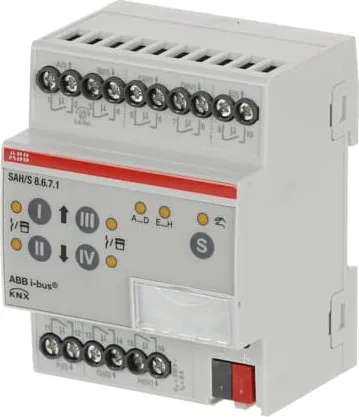
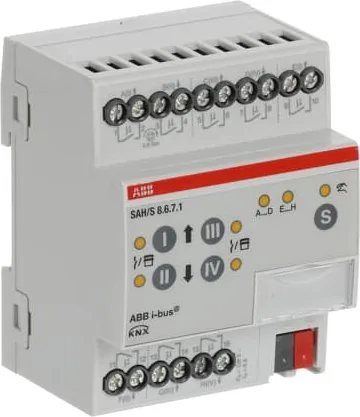
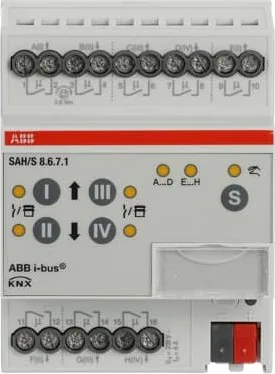
The devices mount on a standard 35 mm DIN rail and receive their supply from the KNX bus, without requiring an additional auxiliary voltage. Screw terminals provide connections for the controlled circuits, while front-facing LEDs and keys simplify commissioning checks and local status review. A membrane keypad enables manual operation when permitted by the parameter settings. Higher-priority safety functions remain active during manual mode, supporting predictable operation in critical conditions.
Note: Blind and shutter motors must be connected only to paired blind actuator outputs. Connecting a motor to independent switching outputs can damage the drive.
Note: Installation, commissioning, and maintenance should be completed by qualified electrical personnel with KNX and ETS knowledge.
The ABB SAH/S x.x.7.1 series combines scalable output capacity, mixed switching and shading control, and advanced KNX automation functions for efficient, adaptable building control.
Search for 67,706 Manuals online


Type-in Brand or Model