
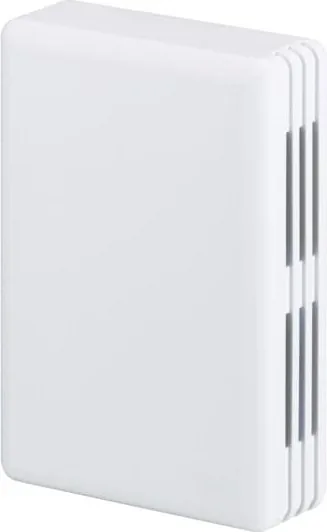
ABB EG/A 32.2.1 Manual
PDF manual · 52 Pages
English



Quick check
Incorrect answer, please try again.
Chat with your ABB EG/A 32.2.1 manual using AI
Get instant AI answers from your ABB EG/A 32.2.1 manual
Ask anything about the ABB EG/A 32.2.1. Answers come from this manual, with the pages they are based on.
Ask a Question
Do you recommend EG/A 32.2.1?
Yes NoFrequently Asked Questions
The unit draws power directly from the KNX bus line. It operates at 29 volts DC requiring no separate transformer. This reduces cabling complexity and cost compared to battery dependent alternatives.
Is this answer helpful?
It supports up to 253 KNX communication objects simultaneously. Multiple channels allow concurrent operation of various EnOcean devices such as temperature sensors and switches.
Is this answer helpful?
Yes, simulation modes allow creating virtual devices within the ETS plugin. This lets you test logic before installing physical hardware on site saving significant time.
Is this answer helpful?
Ideal conditions offer over 30 meters range. Obstacles like metal reduce this distance significantly. Maintaining five meters clearance is recommended for initial pairing reliability.
Is this answer helpful?
The unit stores configuration locally. You can re-download settings via ETS or use front panel buttons for basic resets without needing immediate computer access.
Is this answer helpful?
Certifications meet EMC and low voltage directives. Operating temps range from zero to 40 C with resistance to high humidity levels.
Is this answer helpful?
Advantages and Disadvantages
Advantages

- Bus-powered design eliminates need for external power supply units during installation.
- Compact surface-mount form factor fits easily into standard electrical boxes.
- Bidirectional communication ensures commands and status reports flow both ways smoothly.
- LCD display provides immediate visual feedback on signal strength and device status.
- Compatible with standard ETS software using dedicated plugin for easy mapping.
Disadvantages

- Radio range decreases significantly with metal obstacles or thick concrete walls present.
- Configuration requires specific knowledge of ETS tools and networking concepts.
- Operates on 868.3 MHz which may have regional regulatory differences to check.
- Physical layout planning is critical as vertical mounting yields better signal results.
- Some advanced features require firmware updates or catalog imports to function fully.
Product Specification
Type
Controller Hardware
Standard
KNX, EnOcean
Function
Gateway
Topology
Bus
Dimensions
2.76x3.94x1.10 in
Features
IP20
Product Description
Seamless Connectivity Solutions
Integrating wireless devices into wired networks has never been easier. The ABB EG/A32.2.1 KNX/EnOcean Surface-Mount Gateway Manual outlines how professionals achieve this integration seamlessly. This hardware acts as a translator bridging two distinct protocol standards effectively. Installation focuses on simplicity with power drawn directly from the KNX bus line eliminating complex wiring needs. Builders favor this approach for speed and reduced material costs associated with auxiliary power supplies.
Advanced Configuration Options
Management happens entirely through the Engineering Tool Software ecosystem using a specialized plugin add-on. Technicians map communication objects to control functions like dimming lights or opening blinds remotely. Support extends up to twenty-five three objects handling various tasks simultaneously without lag. An internal display shows real-time feedback including reception quality metrics helping diagnose connectivity problems immediately. Placement strategies influence overall success rates significantly due to radio wave propagation rules. Signals travel best vertically mounted avoiding metallic obstacles that block transmission paths. Testing ranges suggests maintaining five meters minimum distance around the gateway for initial pairing confidence. Interference from other electronics requires keeping separation greater than half a meter consistently.
Operational Capabilities
Bidirectional messaging enables two-way dialogue between controllers and sensors accurately. Status reports travel back to the main system providing instant confirmation of commands executed correctly. Simulated device modes allow virtual testing before installing actual hardware components onsite. Downloadable catalogs ensure access to the latest supported equipment models available today. Configuration resets are straightforward if mistakes happen during the setup phase. Group addresses link specific objects to logical functions within the larger building scheme. Periodic updates can be scheduled to minimize bus traffic while keeping information fresh. Emergency resets utilize physical buttons located on the front panel for direct access without software dependency. Safety compliance meets European standards ensuring reliable operation indoors. Temperature ranges span from zero to forty degrees Celsius comfortably. Humidity resistance reaches ninety-three percent non-condensing air conditions reliably.
Sensor Integration
HVAC components integrate deeply supporting heating cooling and ventilation adjustments. Gas and particle sensors contribute to air quality monitoring efforts comprehensively. Water and electricity usage tracking aids energy management programs globally. Occupancy detection triggers automated responses saving power when rooms remain empty longer than expected.
Pairing Procedures
Teach-in processes vary by device type requiring specific key presses on sensors. Remote learning sends signals over the network instead of manual button holding physically. Chip identification data uploads automatically once linked correctly within the plugin window. Deleting nodes removes associations cleanly resetting resources for reuse elsewhere. Confirmation prompts prevent accidental loss of important configuration settings accidentally.
Usage Notes
Always confirm local frequency laws match 868.3 MHz bands before deployment starts. Ground loops can cause noise so inspect wiring paths carefully before powering up units. Monitor LED indicators to verify program downloads completed successfully every single time changes occur.
Search for 67,706 Manuals online


Type-in Brand or Model