
Portable Audio Manuals
Manuals
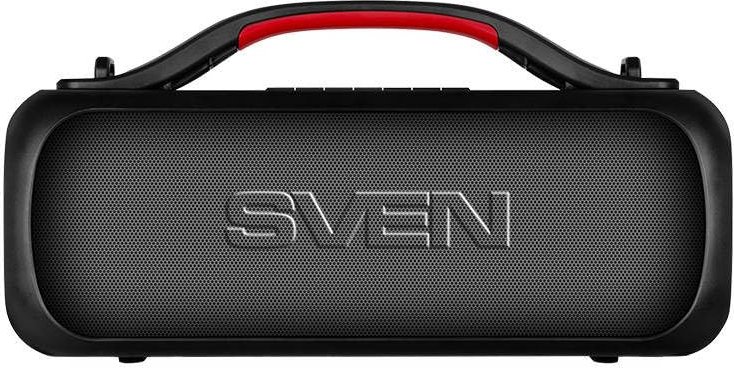
Portable Audio Manuals
Introduction
Portable audio manuals are comprehensive guides designed to help users understand, operate, and maintain portable audio devices such as Bluetooth speakers, portable DACs (digital-to-analog converters), headphone amplifiers, MP3 players, and portable radios. These manuals blend technical specifications, practical usage tips, safety information, troubleshooting steps, and care instructions to ensure optimal performance and longevity of the product. Well-crafted manuals cater to a range of users—from beginners seeking basic setup instructions to audiophiles and technicians who need deeper insights into advanced functions and firmware updates.
Purpose and Value
Guiding Setup and Basic Operation
Portable audio manuals provide step-by-step instructions for initial setup, including charging, pairing, and connecting devices. Clear diagrams and simple language reduce user frustration and minimize returns due to misuse. Basic operation sections typically cover powering on and off, volume control, input selection, and simple playback controls.
Ensuring Safety and Compliance
Safety sections outline proper handling techniques, battery care, and environmental considerations to prevent damage or injury. Manuals often include FCC, CE, RoHS, and WEEE compliance statements and disposal instructions for electronic components and rechargeable batteries, ensuring users follow local regulations.
Extending Product Lifespan
Maintenance and care instructions—such as cleaning ports, protecting fabric or leather surfaces, and avoiding extreme temperatures—help extend the life of portable audio devices. Recommendations for firmware updates and safe charging practices also contribute to sustained performance.
Troubleshooting and Support
Troubleshooting sections quickly address common problems like Bluetooth connectivity issues, audio distortion, charging problems, and intermittent power. Including quick fixes, reset procedures, and diagnostic tips reduces support calls and enhances user satisfaction.
Key Components of Portable Audio Manuals
Product Overview
This section typically introduces the device with labeled diagrams showing buttons, ports (USB-C, micro-USB, proprietary connectors, AUX), LED indicators, battery compartments, and microphone locations. A clear overview helps users identify controls and understand the device layout.
Technical Specifications
A detailed specification list includes battery capacity (mAh), charging time, playback time, power output (watts RMS), frequency response, signal-to-noise ratio (SNR), total harmonic distortion (THD), supported codecs (SBC, AAC, aptX, LDAC), Bluetooth version, impedance, and supported file formats (MP3, WAV, FLAC). Accurate specs help consumers compare products and set realistic expectations.
Quick Start Guide
A concise quick start section offers the minimum steps to get the device working: charge the device, power on, pair with a phone or other source, and play audio. Quick start guides often include QR codes linking to video tutorials or online manual versions for added convenience.
Detailed Operation Instructions
This part delves into advanced features: multi-device pairing, stereo pairing of dual speakers, voice assistant integration, EQ presets, app control features, customizable button functions, and use as a power bank (if supported). It explains how to interpret LED patterns and status tones.
Charging and Battery Care
Guidance on charging cycles, recommended chargers and cables, avoiding over-discharge, and storage recommendations for long-term non-use are included. Safety warnings about using third-party batteries or chargers and the risks of heat exposure are standard.
Connectivity and Compatibility
Information about wired and wireless connections, supported Bluetooth profiles (A2DP, AVRCP, HFP), NFC pairing, and compatibility with operating systems and streaming services. This section clarifies which codecs and sampling rates are supported and how to optimize connection quality.
Maintenance and Cleaning
Best practices for cleaning speaker grilles, fabric covers, metal or plastic housings, and contact points are provided. Manuals recommend using soft, lint-free cloths, mild detergents, and avoiding liquid ingress into ports or drivers.
Storage and Transport
Tips for safely transporting devices—such as using protective cases, avoiding heavy impacts, and disconnecting accessories—are typical. Manuals often advise on recommended temperature and humidity ranges for storage to prevent battery degradation and component corrosion.
Warranty and Service Information
Warranty terms, coverage limitations, and instructions for obtaining repairs or replacements are included. Manuals explain what is covered versus what voids a warranty (e.g., water damage without IP rating, unauthorized repairs), and provide contact methods for customer support.
Regulatory and Environmental Information
Statements about electromagnetic emissions, battery recycling programs, and disposal instructions for electronic components help users comply with environmental laws. Manuals may include symbols and what they represent (e.g., crossed-out wheeled bin for e-waste disposal).
Writing Style and Structure Best Practices
Clarity and Simplicity
Use plain language and avoid excessive technical jargon for consumer-oriented sections. When technical terms are necessary, provide simple definitions or a glossary. Clear, concise sentences and numbered step-by-step instructions improve usability.
Visual Aids and Diagrams
High-quality diagrams, annotated images, and flowcharts dramatically improve comprehension. Visuals should be labeled clearly and referenced in the text to guide users through setup and troubleshooting procedures.
Localization and Multilingual Support
Portable audio products are sold globally, so manuals should be localized into relevant languages and adapted for regional regulations and cultural considerations. Simple icons and universal symbols facilitate understanding across language barriers.
Accessibility
Design manuals to be accessible: large readable fonts, high-contrast text and images, and accessible formats such as tagged PDFs for screen readers. Provide accessible customer support channels for users with disabilities.
Digital and Interactive Formats
Beyond printed manuals, digital manuals can include searchable text, hyperlinks, embedded videos, and interactive troubleshooting wizards. Mobile-friendly manuals or companion apps with step-by-step troubleshooting and firmware updates improve the user experience.
Troubleshooting: Common Issues and Solutions
- No power or device not charging: Check charging cable and adapter, try a different power source, ensure correct connector orientation, and perform a factory reset if supported.
- Bluetooth pairing failures: Clear device pairing list on both devices, ensure the device is in pairing mode, move closer to the source, and remove potential sources of interference.
- Audio distortion or low volume: Check for obstructions in the speaker grille, confirm the source volume and equalizer settings, inspect for firmware updates, and test with a different source device.
- Short battery life: Reduce volume and disable unnecessary features (RGB lighting, extra wireless connections), ensure firmware is updated, and follow recommended charging practices.
- One speaker not connecting in stereo pair: Reboot both devices, re-pair from scratch, and ensure both devices have sufficient battery.
Advanced Topics for Enthusiasts and Technicians
Firmware and Software Updates
Detailed instructions for updating firmware via companion apps or USB are crucial. Version history, changelogs, and rollback instructions provide transparency and safety.
Audio Performance Tuning
Guides for using equalizers, crossover settings for active speakers, and tips on optimizing placement can help users get the best sound. For audiophile devices, explanations of DAC performance, jitter reduction techniques, and recommended bitrates and sampling rates are useful.
Disassembly and Repair Guidance
While voiding warranties is often cautioned against, some manuals or service sheets provide authorized repair procedures, part numbers, and instructions for certified technicians.
Conclusion
Portable audio manuals play a pivotal role in delivering a great user experience. They bridge the gap between engineering and everyday use by providing clear setup instructions, safety precautions, maintenance advice, and troubleshooting help. A well-designed manual reduces user frustration, lowers support costs, and enhances the perceived value of the product. For manufacturers, investing in high-quality, accessible, and up-to-date manuals is as important as designing the hardware itself—ensuring customers can fully enjoy their portable audio devices with confidence and minimal friction.
Search for 380 Manuals online


Type-in Brand or Model